WebView
Open the project in a browser, without AutoCAD.
Turn the design you finished in PVGround into a single share token. The other side enters the token and the project opens in 3D in their browser: real geometry, live shading and the yield results computed on the desktop. No installation, no licence, no file transfer. The share stays valid for 90 days.
The viewer opens at webview.pvground.com and asks for your project token.
How does it work?
Three steps, and you never send a file.
Turn the design into a share
Finish the project with PVGround inside AutoCAD and create a share token in one click. The token is a short code in the form PVW-XXXX-XXXX.
Send the token
Pass the code on: e-mail, chat, read out over the phone, it does not matter. Your DWG stays with you; no drawing leaves your machine.
The project opens anywhere
They enter the token at webview.pvground.com and the project opens in 3D in the browser. No AutoCAD, no installation, no licence: a phone, a tablet or a laptop without AutoCAD is enough. The share stays valid for 90 days.
What is inside the viewer?
Everything you calculated on the desktop, in their browser.
A real 3D site
Terrain, PV modules, piles and structure, shading objects, electrical routes, sun path and analemma: the same geometry as in CAD.
Layer control
Each of the seven layers toggles on its own. The shading heatmap is an independent layer too.
Live shading
Pick a date, drag the time or hit play; shadows move in real time within the daylight window.
Instant shade readout
The on-screen readout gives the sun azimuth and elevation and the site average shading percentage live. Select a frame and the value switches to that frame.
Frame inspection
The id, type, module count, power, mounting (tracker or fixed tilt), module size, azimuth, tilt and shading ratio of whichever frame you click in the scene.
Yield results
Annual energy, specific yield, PR, installed power, monthly production chart and the loss waterfall: read-only results computed by the desktop engine.
Project totals
Project type, coordinate system and device, string and cable totals across the Project, Topology and Construction tabs.
Four languages, every device
Turkish, English, German and French switch instantly from inside the viewer. On small screens the panels open over the scene.
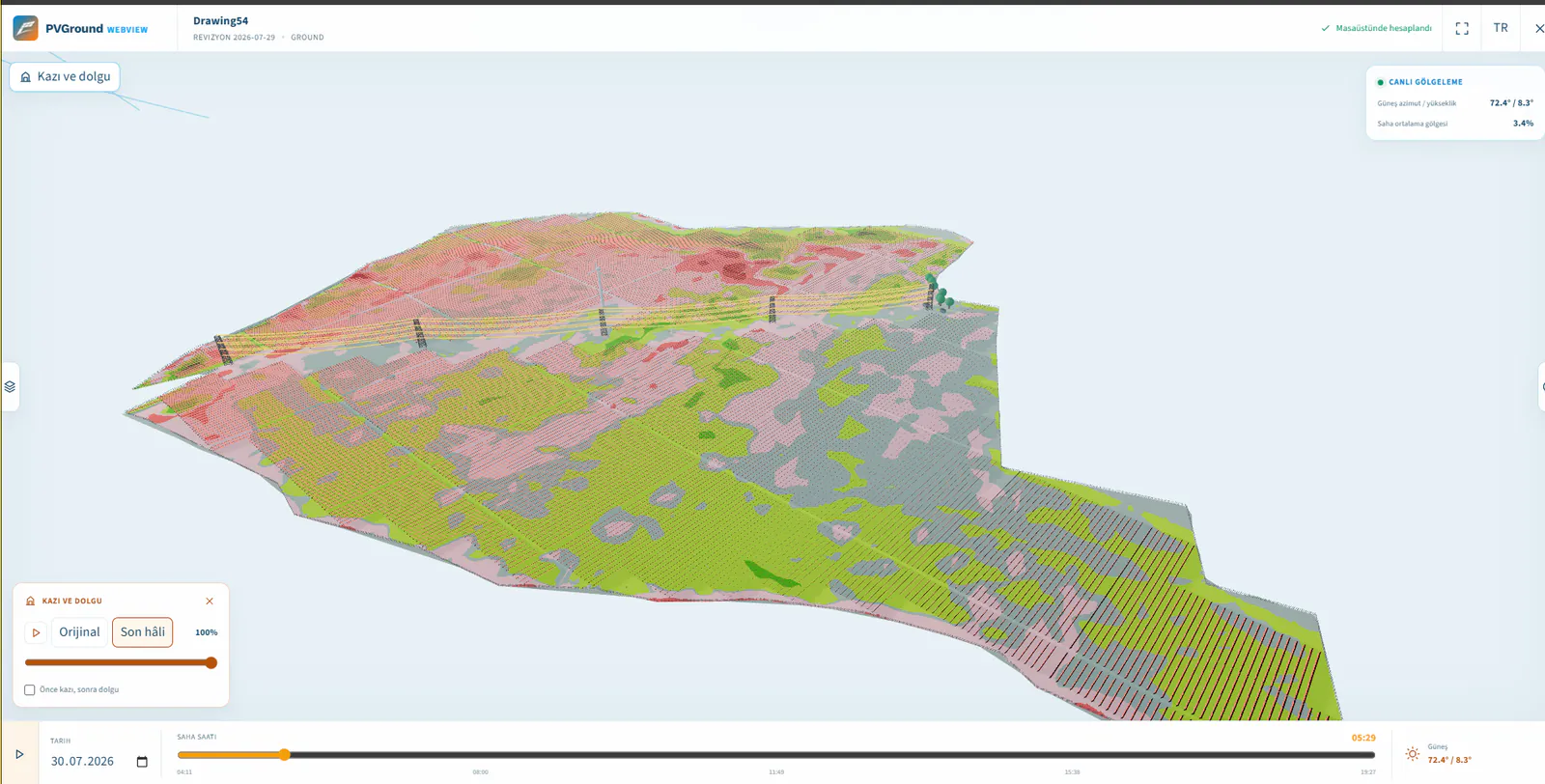
Watch the earthworks unfold in 3D
Original terrain to final grade: play or scrub the excavation right in the browser.
Share the cut-and-fill story with investors, EPCs and site teams without AutoCAD. They see where material is cut, where it is filled, and how volumes balance, then watch the ground transform from natural topography to finished platform as if they were standing on site.
- Play or scrub from original ground to final design grade in one motion.
- Colour-banded cut and fill with live volume totals per PV area.
- Click any point on the ground to compare original and final elevation.
Dynamic cut & fill sweep in WebView
Frames from the viewer
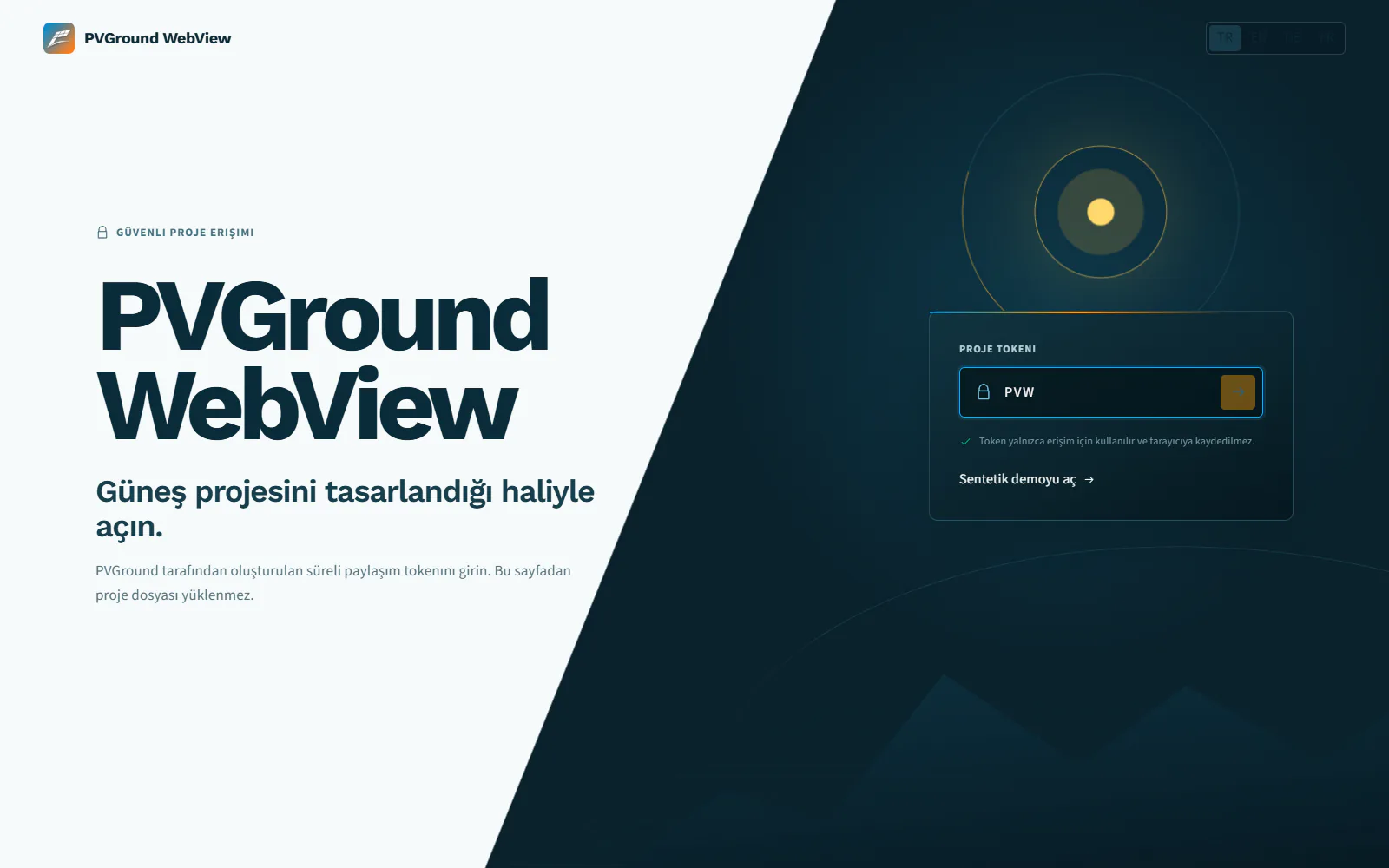
Token screen: enter the project code, nothing gets uploaded.
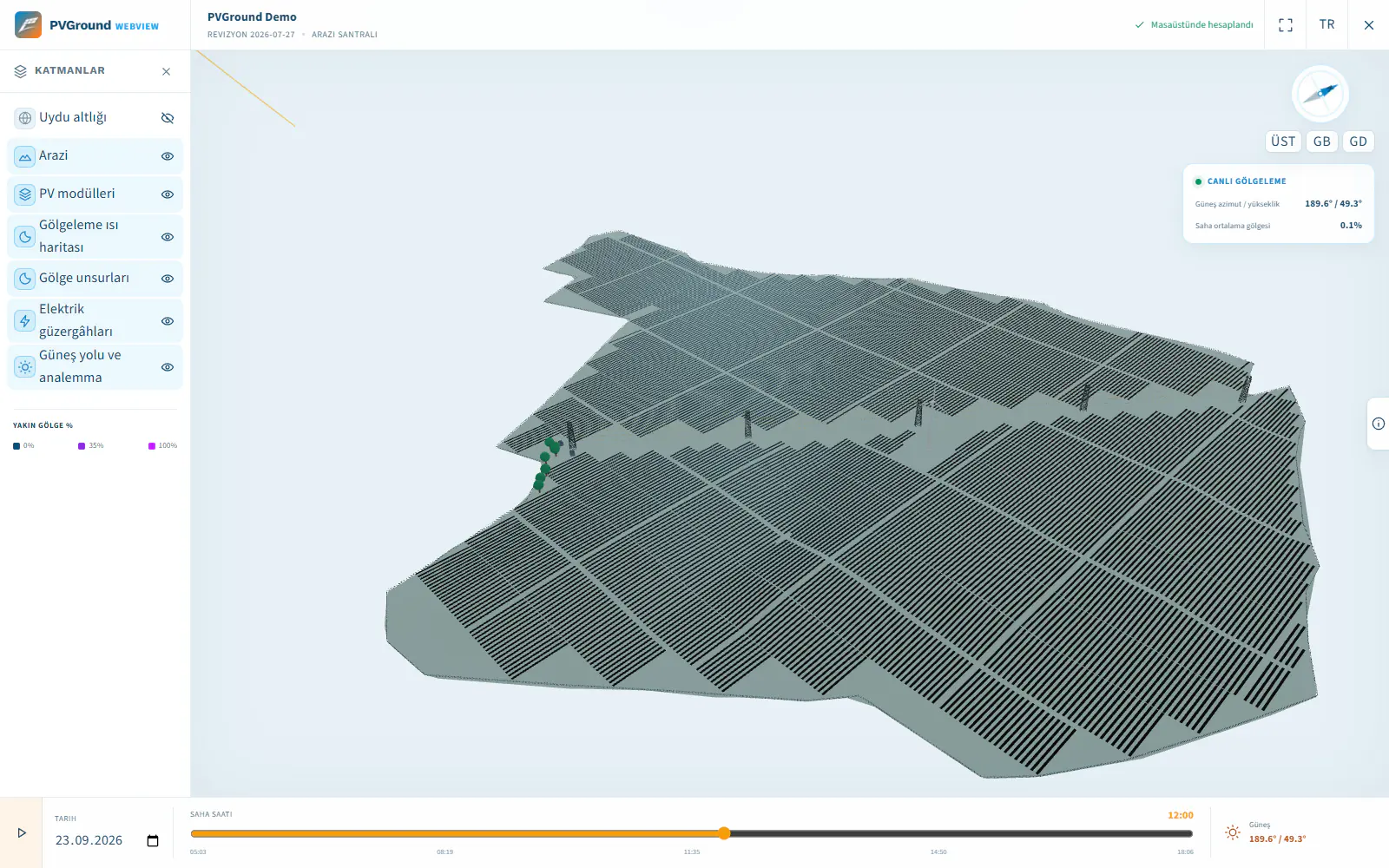
The 3D scene and the layer panel.
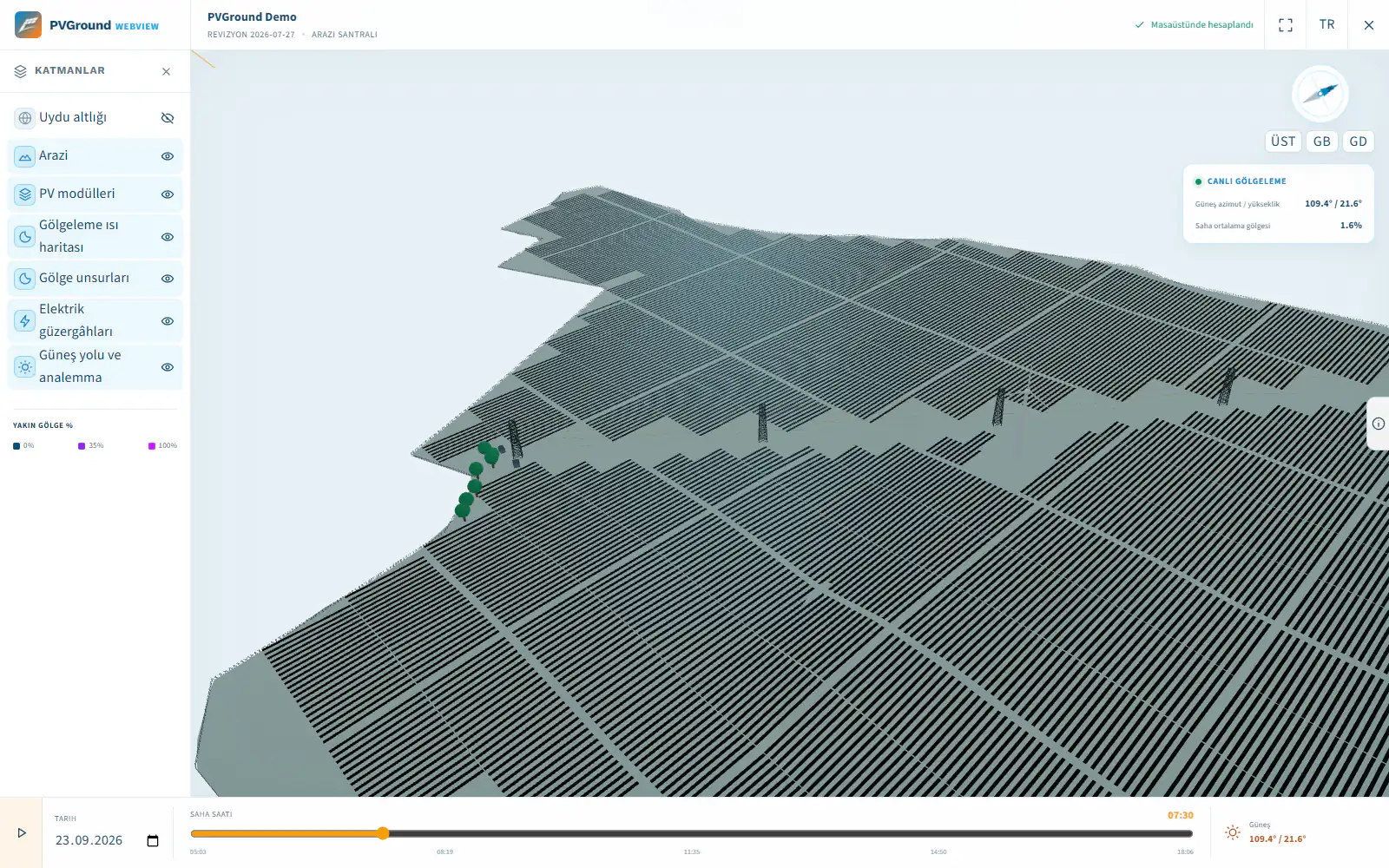
Live shading readout and the timeline.
Sharing without giving up control
They see the project; they never receive the drawing and cannot change it. Access begins and ends with the token.
- The token is the only authority; you share no other credential.
- Package integrity is verified with SHA-256; if the digest does not match, the project does not open.
- The download address is a signed link that lives about an hour; no permanent file link is handed out.
- No project file is ever uploaded from the viewer page.
- The viewer is closed to search engines and only works at webview.pvground.com.
- Previously opened projects are kept in that browser only and can be cleared in one click.
- An expired or revoked share does not open.
Frequently asked
Does the other side need AutoCAD?
No. The viewer runs in the browser and needs no AutoCAD, no PVGround plugin and no installation.
Do they need to buy a licence?
No. The token you send is all it takes to open the project. A licence is only needed on the side doing the design.
Can they download the drawing?
No. What you share is not a DWG but a package meant only for viewing. The results are read-only and the scene cannot be edited.
What happens after 90 days?
The share closes and the same token no longer opens the project. The designer can issue a new token if needed. You can also revoke a share before it expires.
Get Started Now
We offer a 14-day free trial. Get started now and share your experiences with us.